




What Is a Web Crawler
A web crawler is the invisible infrastructure behind every search engine result, AI-generated answer, and competitive intelligence tool you use. Every time you find something on Google, every time an AI assistant answers a question about current events, and every time a pricing tool shows you a competitor’s latest price, a web crawler collected that information first.
The role of these automated bots has expanded dramatically in recent years. According to the 2026 Web Crawler Guide by Olostep, AI model training now drives nearly 80% of all crawler bot activity. Anthropic alone executed approximately 38,000 crawls per referred visit in July 2025. Web crawlers have moved well beyond search engine indexing. Today they serve as the data collection layer for autonomous AI agents, real-time retrieval systems, enterprise competitive intelligence platforms, and large-scale training corpora.
This guide explains precisely what a web crawler is and does, how the six-step process works at a technical level, the four distinct types enterprises encounter, how crawlers compare to web scrapers, the challenges modern crawlers face, how website owners control access, and where managed crawler infrastructure fits into enterprise data operations.
A web crawler is an automated software bot that systematically browses the internet by visiting web pages, reading their content, following the hyperlinks on those pages to discover new ones, and repeating the process continuously. It is the mechanism that makes large-scale, automated discovery of web content possible.
The term comes from the way these programs move: they crawl from page to page across the web by following links, much like a spider moves across its web. This is why they are also called spiders, bots, or web robots. The name describes the behaviour precisely: systematic, link-driven traversal of publicly accessible content.
The bot does not extract specific data fields in the way a scraper does. Its primary function is discovery and indexing: finding out what pages exist, what they contain at a high level, and how they connect to each other. The output of a crawl is typically an index or a map of discovered content, not a structured dataset of specific extracted values.
There is an important distinction between internet and enterprise crawlers. An internet crawler, like Googlebot, traverses the entire public web continuously, expanding its index as new pages appear. An enterprise crawler operates on a defined scope: a specific set of domains, a list of target URLs, or a bounded crawl configured to collect particular types of content. Enterprise crawlers serve data collection, competitive intelligence, SEO auditing, and AI training pipelines rather than building a general public index.
Tired of crawler infrastructure that breaks faster than you can fix it?
• No contracts. • No credit card required. • No scrapers to babysit.
How a Web Crawler Works: The Six-Step Process
Understanding how a web crawler operates helps clarify when to use one, how to configure it for your use case, and where it will encounter obstacles. The process follows a consistent six-step cycle regardless of the crawler’s purpose or scale.
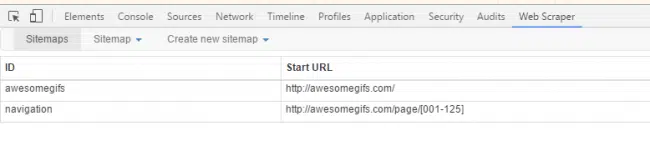
- Seed URLs: Every crawl begins with a starting list of URLs called seeds. These are the entry points from which the bot begins its traversal. For a search engine, seeds are typically well-known, high-authority domains. For an enterprise crawler, seeds are the specific domains or URL patterns relevant to the data collection objective.
- HTTP request and page fetch: The bot sends an HTTP or HTTPS request to each seed URL, receives the server’s response, and downloads the page content. For simple static pages, a standard HTTP fetch is sufficient. For pages that rely on JavaScript to render content dynamically, the bot must launch a headless browser, execute the JavaScript, and capture the rendered output. Skipping this step for JavaScript-heavy sites means the crawler receives only the page shell rather than the actual content.
- Content parsing and analysis: Once the page is downloaded, the program parses the HTML to understand what the page contains. It reads the title, metadata, headings, body text, and structured data markup. This analysis determines how the page will be indexed or what data should be extracted, depending on the crawler’s purpose.
- Link extraction and queue management: While parsing the page, the bot identifies all hyperlinks and adds previously unseen URLs to the crawl queue, called the crawl frontier. The queue is prioritised based on the bot’s policies: page authority, link depth, domain freshness, and crawl budget constraints all influence which URLs are visited next and in what order.
- robots.txt and politeness checks: Before visiting any URL, a well-behaved bot checks the target domain’s robots.txt file to confirm the path is permitted. It also applies rate limiting to avoid overloading the target server with too many requests in a short period. These politeness policies are the technical implementation of responsible crawling behaviour.
- Storage and indexing: The downloaded and parsed content is stored in a database, search index, or data pipeline. For search engines, this means adding the page to a ranked index. For enterprise crawlers, it means writing the structured content to a destination system where it can be queried, analysed, or used as training data. Revisit scheduling is set at this stage: frequently updated pages are queued for sooner recrawling than stable, rarely changing content.
The entire cycle repeats continuously. A large-scale web crawler running in production processes millions of pages per day, revisiting previously seen pages on a schedule calibrated to each page’s change frequency while simultaneously discovering new content through newly found links.
The Four Types of Web Crawlers
Not all crawlers operate the same way or serve the same purpose. Understanding the four main types helps clarify which category a given crawler belongs to and what behaviour to expect from it.
- Search crawlers: These are the bots operated by search engines to discover and index public web content for retrieval in search results. Googlebot, Bingbot, and Yandex Bot are the most widely recognised examples. They follow broad traversal strategies, respect robots.txt, and prioritise coverage across the entire indexable web.
- AI training crawlers: These bots collect web content specifically for training large language models and other AI systems. GPTBot (OpenAI), ClaudeBot (Anthropic), and CCBot (Common Crawl) fall into this category. They generate significant traffic but return almost no referral visits to the sites they index, which has led many website owners to block them selectively. As of 2025, approximately 60% of reputable websites block AI training crawlers.
- Focused and vertical crawlers: These operate within a defined topical or domain scope. An SEO audit crawler like AhrefsBot or Screaming Frog crawls a specific site or set of sites for technical analysis. A price monitoring crawler traverses a defined set of e-commerce domains. A research crawler covers a specific academic or news domain. Focused crawlers trade breadth for precision.
- Agentic and retrieval crawlers: This is the fastest-growing category in 2026. Retrieval crawlers fetch specific pages in real time to ground AI-generated responses in current web content. Agentic crawlers go further: they interact with web interfaces, navigate multi-step flows, submit forms, and execute tasks on behalf of autonomous AI agents. Cloudflare reported a 21x increase in agentic crawler activity across 2025.
Web Crawler vs Web Scraper: Key Differences
Web crawlers and web scrapers are closely related and often used together, but they serve different functions in the data collection pipeline. The confusion between them is common because many tools incorporate both capabilities. Understanding the distinction clarifies which you need for a given use case.
| Dimension | Web Crawler | Web Scraper |
| Primary function | Discovers and maps pages across the web by following links | Extracts specific data fields from pages already identified |
| Scope | Broad — traverses many pages and domains continuously | Targeted — operates on a defined set of URLs or pages |
| Output | An index or map of discovered URLs and page metadata | Structured datasets: prices, listings, reviews, contact data |
| Depth | Goes wide across the web; depth is controlled by crawl rules | Goes deep into specific page content; breadth is secondary |
| robots.txt compliance | Major crawlers respect robots.txt and crawl rate limits | Scraper behaviour varies; some ignore access rules entirely |
| Typical users | Search engines, AI training pipelines, SEO audit tools | Data teams, price intelligence systems, research pipelines |
| Speed priority | Favours breadth and freshness over per-page extraction depth | Favours completeness and accuracy of extracted fields |
| Used together? | Yes: crawlers discover pages, scrapers extract data from them | Yes: scraping and crawling are complementary pipeline stages |
In most enterprise data operations, crawling and scraping are sequential stages rather than competing alternatives. The crawler discovers and maps the pages containing relevant content. The scraper extracts specific fields from those pages. For a more detailed treatment of how web scraping compares to other data collection approaches, the comparative guide on web scraping vs traditional data collection covers the full landscape of options and trade-offs.
How Enterprises Use Web Crawlers in 2026
The use of web crawlers in enterprise contexts has expanded well beyond the search engine indexing model. These are the six primary applications driving enterprise investment in crawling infrastructure.
Search engine optimisation auditing
SEO teams run automated site audits, identifying broken links, missing metadata, duplicate content, canonical tag errors, crawl budget waste, and pages that are either blocked from or inaccessible to search engine bots. A regular site crawl surfaces technical issues before they affect rankings. Tools including Screaming Frog, Sitebulb, and Ahrefs Site Audit run these crawls on demand.
Competitive intelligence and price monitoring
Enterprises crawl competitor websites, product catalogues, and pricing pages continuously to feed pricing intelligence systems. Discovery bots map which pages exist and how they are structured. The extraction layer then pulls specific fields from those pages. For pricing intelligence applications specifically, the freshness and coverage of the crawl directly determine whether the pricing model can respond to market changes in time to matter.
AI training data collection
Building training corpora for large language models requires web-scale data collection. Common Crawl’s open dataset, which serves as the foundation for most public LLM training, is itself the product of continuous web crawling. Enterprise AI teams building domain-specific models use targeted crawlers to collect vertical-specific content at the quality and coverage their training requirements demand. For teams building pipelines for data for AI and machine learning, a managed crawling infrastructure removes the engineering overhead of building and maintaining the crawler while ensuring the data quality that model training requires.
Content aggregation and monitoring
News aggregators, research platforms, and brand monitoring services use automated bots to track content across large source sets continuously. When a specific topic appears on a monitored source, the system surfaces it for review or triggers an automated workflow. The application ranges from competitive content tracking, where a team needs to know when a competitor publishes in a specific topic area, to regulatory change monitoring, where a legal or compliance team needs to detect updates to government guidance before they become effective. Early detection of brand mentions before they spread to mainstream coverage is another high-value application for media-sensitive organisations.
Market research and trend detection
Research teams use crawlers to build datasets from job boards, company websites, and industry publications for workforce analytics, market sizing, and trend identification. The data collected through crawling is the raw material for analysis that would be impossible to conduct manually at the source counts these applications require.
Website archiving and change detection
Archiving services and change detection tools crawl websites on scheduled intervals to detect when content has been added, modified, or removed. Legal teams use this for evidence preservation, capturing a dated record of a page’s state that can be produced in litigation. Procurement teams use it to track supplier catalogue changes, detecting price list updates or terms changes before renewal negotiations. Compliance teams use it to monitor regulated communications channels, flagging content changes that may require a formal response or escalation under their regulatory obligations.
Need Enterprise-Grade Crawling Infrastructure?
Building a web crawler that works reliably across many sources, handles JavaScript rendering and anti-bot systems, and delivers consistent data quality requires infrastructure that most internal teams cannot sustain alongside other priorities.
Challenges Web Crawlers Face in 2026
Operating a web crawler at production scale involves managing a set of technical and operational challenges that have become significantly harder as the web has evolved. These are the obstacles that separate a proof-of-concept crawler from one that runs reliably in a production environment.
JavaScript rendering at scale
As of 2025, 98.9% of websites use JavaScript. A standard HTTP fetch without rendering retrieves only the initial HTML shell for most modern sites, missing content that only appears after JavaScript executes. Running a headless browser for every page is computationally expensive. Enterprise crawlers must decide which pages require full rendering and apply that selectively, which requires detection logic that adds its own complexity.
Anti-bot defences
Cloudflare, DataDome, Akamai, and TLS fingerprinting systems actively block automated access on many high-value commercial sites. These systems detect crawler behaviour through IP reputation, request patterns, browser fingerprinting, and behavioural analysis. Working around them responsibly requires residential proxy rotation, browser fingerprint management, and rate-controlled crawling that mimics human browsing patterns.
Duplicate content
The same content often appears at multiple URLs: with and without trailing slashes, with different query parameters, through redirect chains, or as canonical and non-canonical versions. A bot without robust deduplication logic wastes crawl budget on redundant content and produces polluted indexes. Maintaining URL normalisation and canonical tracking at scale requires dedicated infrastructure.
Crawl budget management
No automated bot can visit the entire web. Every crawler operates within a budget: a limit on the number of pages it can fetch within a given time window. Allocating that budget intelligently requires prioritising high-value pages, deprioritising rarely changed content, and avoiding crawler traps that generate infinite URLs through dynamic parameters or calendar-based URL patterns. For enterprise sites, crawl budget management is not just a technical consideration. It directly affects which pages appear in search results and how quickly new or updated content becomes discoverable. Poorly structured sites with thin content, excessive redirects, or large volumes of duplicate URLs consume crawl budget on pages that contribute nothing to search performance.
Maintaining freshness
Web content changes continuously. A page crawled yesterday may be significantly different today. Determining how frequently to revisit each page and detecting changes efficiently requires scheduling algorithms that model each page’s historical change rate and adjust revisit frequency accordingly.
How to Control Which Crawlers Access Your Site
Website owners have several mechanisms available for controlling crawler access, each serving a different purpose and offering different levels of control.
robots.txt
The robots.txt file lives at the root of your domain and communicates access rules to crawlers through User-agent and Disallow directives. It can block specific bots, restrict specific URL paths, and set crawl rate limits. Major search engines and well-behaved enterprise bots respect these rules. It is not enforceable against all bots: a crawler that ignores robots.txt directives will access disallowed paths regardless.
Meta robots tags
Individual pages can carry meta robots tags in their HTML head section instructing crawlers not to index the page (noindex) or not to follow its links (nofollow). This provides page-level control without editing robots.txt. It is particularly useful for pages you want accessible to direct-link users but not appearing in search results, such as campaign-specific landing pages, internal staging environment URLs, or temporary promotional pages that serve a specific audience but should not accumulate organic traffic or appear in competitor research.
Blocking AI crawlers specifically
The distinction between search crawlers and AI training crawlers has become strategically important. Website owners who want their content indexed for search but not used to train AI models can block specific AI crawler user agents (GPTBot, ClaudeBot, CCBot) while allowing search engine bots. Research from 2025 found that 92.30% of sites that block AI crawlers still appear in AI-generated citations, meaning blocking training bots does not eliminate AI visibility but does restrict training data use.
How PromptCloud Uses Web Crawler Infrastructure for Enterprise Data Delivery
PromptCloud builds and operates managed web crawler and scraper infrastructure for enterprise clients that need external web data to arrive reliably, cleanly, and on schedule. The crawling layer is what PromptCloud uses to discover and navigate the target sources defined in each client engagement. The scraper layer extracts the specific fields the client’s downstream systems require from the pages the crawler finds.
For clients with large and complex source sets, the crawling infrastructure handles JavaScript rendering, anti-bot navigation, URL deduplication, and revisit scheduling automatically. The client defines what sources and data they need. PromptCloud’s infrastructure manages everything between that specification and the delivered dataset, including the crawler layer that most in-house teams underestimate in complexity before they build it.
The data quality guarantees PromptCloud provides depend directly on the reliability of the crawler layer. If the crawler fails to discover pages, renders them incorrectly, or falls behind on revisits, the extraction layer receives incomplete inputs and produces incomplete outputs. Every PromptCloud engagement includes monitoring of the crawling layer alongside the extraction layer, with automated alerts and engineering response when crawling performance deviates from expected patterns.
Enterprises that have tried to build their own crawler infrastructure consistently report the same pattern: the initial build takes weeks, the first production run surfaces edge cases that take months to resolve, and the ongoing maintenance of keeping the crawler working as target sites change and add bot defences consumes engineering capacity that the team needs for higher-value work. For teams evaluating data scraping service providers to handle this infrastructure layer, PromptCloud’s managed approach removes that engineering burden entirely while delivering data at a quality level that in-house operations rarely sustain.
Understanding the Web Crawler: The Foundation of Modern Data Infrastructure
The web crawler is not a peripheral technology. It is the foundational layer of search engines, AI systems, competitive intelligence platforms, and enterprise data pipelines. Without it, none of those systems have access to current web content. With it, the entire publicly accessible web becomes a continuously updated data source for any application that needs it.
For most teams, the practical question is not what a web crawler is but what to do about the crawler layer in their own data operation. Self-built crawlers work at a small scale and degrade as complexity grows. Managed crawler infrastructure removes the maintenance burden and delivers the data quality that production systems require. The decision between building and buying is the same here as it is for any other piece of production infrastructure: it comes down to whether the engineering investment in the crawler layer creates more value than applying that same investment to the work the team was hired to do.
If your operation has reached the point where crawler infrastructure needs to work as reliably as any other production system, the conversation with PromptCloud starts with your specific sources, data requirements, and delivery cadence. The scope and timeline become clear quickly, which is usually the most useful first step.
Tired of crawler infrastructure that breaks faster than you can fix it?
• No contracts. • No credit card required. • No scrapers to babysit.
Frequently Asked Questions
What is a web crawler?
A web crawler is an automated software bot that systematically browses the internet by visiting web pages, reading their content, following the hyperlinks on those pages to discover new ones, and repeating the process continuously. Also called a spider, bot, or web robot, it is the technology that makes large-scale discovery and indexing of web content possible. Search engines use web crawlers to build their indexes. AI companies use them to collect training data. Enterprises use them to monitor competitors, collect market data, and feed intelligence platforms.
What is the difference between a web crawler and a web scraper?
A web crawler discovers and maps pages by following links across the web. A web scraper extracts specific data fields from pages that have already been identified. Crawling is the discovery stage; scraping is the extraction stage. In most enterprise data pipelines, they work sequentially: the crawler finds the relevant pages and the scraper pulls the specific content from them. The distinction matters practically because they require different tools, different infrastructure, and have different compliance considerations.
How does a web crawler work?
A web crawler follows a six-step process: it starts with seed URLs, sends HTTP requests to fetch each page, parses the HTML to understand the content, extracts all hyperlinks and adds new ones to the crawl queue, checks robots.txt and applies rate limiting before each visit, and stores the collected content in an index or database. The cycle repeats continuously, with revisit scheduling ensuring that frequently changing pages are refreshed more often than stable ones.
What are the different types of web crawlers?
The four main types of web crawlers in 2026 are search crawlers (Googlebot, Bingbot), which index public web content for search results; AI training crawlers (GPTBot, ClaudeBot, CCBot), which collect content for large language model training; focused and vertical crawlers (AhrefsBot, Screaming Frog), which operate within defined topical or domain scopes; and agentic crawlers, the fastest-growing category, which interact with web interfaces in real time to complete tasks on behalf of autonomous AI agents.
Is web crawling legal?
Web crawling of publicly accessible content is generally legal in most jurisdictions. The HiQ Labs v. LinkedIn ruling established in the United States that crawling publicly available data does not violate the Computer Fraud and Abuse Act. However, crawling behind authentication walls, ignoring robots.txt directives in a way that disrupts server operations, collecting personally identifiable information without a lawful basis under GDPR or CCPA, or circumventing technical access controls creates legal exposure. Responsible crawling practices respect robots.txt, apply rate limiting, and avoid accessing restricted content.
What is a robots.txt file and how does it affect web crawlers?
A robots.txt file is a plain text file placed at the root of a domain that communicates access rules to web crawlers through User-agent and Disallow directives. It tells crawlers which paths they are permitted or prohibited from accessing and can set crawl rate limits. Major search engine crawlers and well-behaved enterprise crawlers respect these rules. It is advisory, not technically enforceable: bots that choose to ignore robots.txt will access disallowed paths, though doing so in a way that causes disruption creates legal risk.
What is crawl budget and why does it matter?
Crawl budget is the number of pages a search engine or crawler will fetch from a site within a given time window. It is determined by the site’s authority, server speed, and content freshness signals. Pages that load slowly, have poor link structure, or contain excessive duplicate content consume crawl budget without contributing to indexing quality. For enterprise sites with large content libraries or frequently updated product catalogues, managing crawl budget efficiently ensures that important pages are discovered and indexed promptly rather than sitting in a queue behind low-value pages.
How do AI companies use web crawlers?
AI companies use web crawlers to collect the large-scale text datasets required for training and fine-tuning large language models. Common Crawl, the open-access dataset produced by continuous web crawling, forms the foundation for most public LLM training corpora. Individual AI companies also operate their own crawlers for proprietary dataset collection. Retrieval-augmented generation systems use real-time crawlers to fetch current web content that grounds AI responses in up-to-date information rather than static training data.
Can website owners block web crawlers?
Yes. Website owners have several mechanisms for controlling crawler access. The robots.txt file blocks specific bots from specific URL paths. Meta robots tags on individual pages instruct crawlers not to index or not to follow links. Server-side IP blocking prevents specific crawler IP ranges from accessing the site entirely. Rate limiting through server configuration caps how many requests any bot can make per time period. Many website owners now selectively block AI training crawlers while allowing search engine bots, which has become a standard practice for sites with proprietary or monetised content.
What is the difference between a web crawler and a search engine?
A web crawler is the data collection component of a search engine. It discovers pages, fetches their content, and passes that content to the search engine’s indexing and ranking systems. The search engine is the complete system that includes the crawler, the indexing infrastructure, the ranking algorithms, and the query interface. The crawler is one stage in that pipeline: it generates the raw input that the rest of the search engine processes and serves to users. Search engines like Google operate multiple crawler types for different content categories, but the crawler layer is always the first stage in making web content discoverable.