




How to Scrape Yahoo Finance?
Yahoo Finance is still one of the most complete free sources of financial data on the internet. It covers over 40,000 instruments across equities, ETFs, indices, and currencies. It updates throughout the trading day. And it costs nothing to access as a human user. The problem is what happens when you try to automate that access.
Yahoo shut down its public API in 2017 and never replaced it. Since then, every developer who needed this data in a pipeline has had two options: build a scraper, or pay for a licensed feed. For personal projects and early-stage research, scraping is the obvious starting point. For production systems handling real decisions at scale, the economics shift fast. According to PromptCloud’s State of Web Scraping 2026 report, enterprise scraping costs are no longer just about server bills. Proxy rotation, schema maintenance, compliance review, and engineer hours to fix broken selectors all compound into a hidden operational tax that teams consistently underestimate before they hit it. Our analysis of web scraping build vs. buy decisions shows most teams cross the break-even point earlier than they expect.
This guide covers every practical method for pulling Yahoo Finance data in Python in 2026. The code works. The failure modes are documented. And the build-versus-buy framing is direct, because that is the decision most tutorials avoid.
What Data Can You Actually Pull from Yahoo Finance?
Yahoo Finance is not a single data source. It is a collection of pages and internal JSON endpoints, each structured differently and updated on different schedules. Before writing a line of code, know exactly what is available and where the real gaps sit.
Real-Time Price Data
Current trading price, bid and ask spread, day range, volume, and market cap. Important caveat: Yahoo delays quote data by 15 minutes for standard users. This is not tick data. If sub-minute latency matters for algorithmic trading or live order execution, you need a brokerage API or a specialist feed like Polygon.io, not Yahoo Finance.
Historical OHLCV Data
Daily, weekly, or monthly open, high, low, close, and volume going back decades for most US equities. This is one of Yahoo’s genuine strengths. Major international exchange coverage is solid, though it thins out for smaller markets and OTC instruments. For anything outside major US and European exchanges, validate against a second source before putting it in production.
Fundamentals and Financials
Income statements, balance sheets, cash flow statements, EPS, P/E ratios, dividend history, and more. These update quarterly and are accessible through the Financials tab on any ticker page, or through yfinance attributes in Python. Data quality is reliable for large-cap US names. For small-caps and international stocks, gaps and stale figures are common enough to warrant cross-validation.
Analyst Ratings and Price Targets
Available in the Analysis section for most tickers. Useful for consensus-tracking signals or feeding a sentiment model. These refresh when new analyst reports are published, not on a fixed schedule. Do not treat them as real-time data.
News Headlines
Tied to specific tickers and loaded dynamically via JavaScript. News data is harder to scrape reliably than price data, because Yahoo increasingly serves it through endpoints that do not appear in the initial page source. If headlines return empty, that is usually the reason.
Index and ETF Data
Works identically to individual tickers. Use ^GSPC for the S&P 500, ^DJI for the Dow, ^VIX for the CBOE Volatility Index, QQQ for the Nasdaq-100 ETF, and SPY for the S&P 500 ETF.
Stop babysitting scrapers that break every time Yahoo changes a div.
• No contracts. • No credit card required. • No scraping infrastructure to maintain.
The Four Methods: A Comparison Before the Code
The right approach depends on what data you need and how much operational complexity you can absorb. Here is the full picture before the implementation details.
| Method | Real-Time? | Handles JS? | Complexity | Best For |
| yfinance | Near real-time | No | Low | Price and historical data, small ticker sets |
| BeautifulSoup | Yes (15-min delay) | No | Medium | Custom fields, headlines, specific table data |
| Selenium | Yes | Yes | High | JavaScript-rendered pages, dynamic content |
| Managed provider | Yes | Yes | Low (ops) | Scale, compliance, reliability, 200+ tickers |
Method 1: yfinance – The Fastest Route to Price and Financial Data
yfinance is a Python library that calls Yahoo Finance’s internal JSON endpoints directly. It handles authentication headers, endpoint discovery, and data parsing for you. It is not officially supported by Yahoo, but it has become the standard starting point for financial data in Python because nothing else gets you running as quickly.
Install it:
pip install yfinanceBasic single-ticker usage:
import yfinance as yf

ticker = yf.Ticker('AAPL')

# Historical OHLCV - last 3 months, daily intervals
hist = ticker.history(period='3mo', interval='1d')
print(hist.head())

# Live snapshot
info = ticker.info
print(info.get('currentPrice'))
print(info.get('marketCap'))
print(info.get('trailingPE'))
print(info.get('dividendYield'))
Downloading multiple tickers at once:
import yfinance as yf

tickers = ['AAPL', 'MSFT', 'GOOGL', 'AMZN', 'META']
data = yf.download(tickers, period='1mo', interval='1d', group_by='ticker')

apple_close = data['AAPL']['Close']
print(apple_close.tail())
Pulling financial statements:
import yfinance as yf

ticker = yf.Ticker('MSFT')
print(ticker.financials)             # Annual income statement
print(ticker.quarterly_financials)   # Quarterly income statement
print(ticker.balance_sheet)          # Balance sheet
print(ticker.cashflow)               # Cash flow statement
print(ticker.recommendations)        # Analyst recommendations
print(ticker.earnings_dates)         # Upcoming earnings
Production-grade wrapper with retry logic. yfinance fails silently when Yahoo changes something on the backend. Build for this from day one:
import yfinance as yf
import time
import pandas as pd

def safe_download(ticker_symbol, period='1mo', retries=3, delay=5):
    for attempt in range(retries):
        try:
            ticker = yf.Ticker(ticker_symbol)
            data = ticker.history(period=period)
            if data.empty:
                raise ValueError(f'Empty DataFrame for {ticker_symbol}')
            return data
        except Exception as e:
            print(f'Attempt {attempt + 1} failed for {ticker_symbol}: {e}')
            if attempt < retries - 1:
                time.sleep(delay * (attempt + 1))
    print(f'All retries failed for {ticker_symbol}')
    return pd.DataFrame()

result = safe_download('AAPL')
if not result.empty:
    print(result.tail())
The most common cause of empty returns is a structural change on Yahoo’s backend. The fix is almost always: pip install –upgrade yfinance. If that does not resolve it, check the yfinance GitHub issues page. Breakages are typically flagged within hours of a backend change.
Need This at Enterprise Scale?
While DIY scraping works for small projects, production financial pipelines introduce compliance and maintenance overhead that compounds fast.
Method 2: BeautifulSoup – For Custom Fields and News Headlines
When you need data that yfinance does not expose, such as specific analyst summary text, news headlines, or custom table data from a particular page, you scrape the HTML directly using requests and BeautifulSoup.
This approach requires more ongoing maintenance than yfinance because you are tied to Yahoo’s page structure, which changes without warning. For lightweight, targeted extraction jobs it is the right tool. For a deeper look at why HTML-dependent scrapers break repeatedly in production environments, our guide on why web scrapers fail in production covers the full pattern.
Install the libraries:
pip install requests beautifulsoup4Pulling the current stock price with realistic request headers:
import requests
from bs4 import BeautifulSoup
import time, random

def get_stock_price(ticker_symbol):
    url = f'https://finance.yahoo.com/quote/{ticker_symbol}'
    headers = {
        'User-Agent': 'Mozilla/5.0 (Windows NT 10.0; Win64; x64) '
                      'AppleWebKit/537.36 (KHTML, like Gecko) '
                      'Chrome/120.0.0.0 Safari/537.36',
        'Accept-Language': 'en-US,en;q=0.9',
        'Accept-Encoding': 'gzip, deflate, br',
        'Referer': 'https://finance.yahoo.com'
    }
    time.sleep(random.uniform(2, 5))
    response = requests.get(url, headers=headers, timeout=10)
    if response.status_code != 200:
        raise Exception(f'Request failed with status {response.status_code}')
    soup = BeautifulSoup(response.text, 'html.parser')
    price_tag = soup.find('fin-streamer', {'data-field': 'regularMarketPrice'})
    if price_tag:
        return float(price_tag.get('value', price_tag.text))
    return None

price = get_stock_price('AAPL')
print(f'AAPL current price: {price}')
Scraping news headlines for a ticker:
import requests
from bs4 import BeautifulSoup
import time, random

def get_headlines(ticker_symbol, max_results=10):
    url = f'https://finance.yahoo.com/quote/{ticker_symbol}/news'
    headers = {'User-Agent': 'Mozilla/5.0 (Windows NT 10.0; Win64; x64) Chrome/120.0.0.0'}
    time.sleep(random.uniform(2, 4))
    response = requests.get(url, headers=headers, timeout=10)
    soup = BeautifulSoup(response.text, 'html.parser')
    headlines = []
    for article in soup.find_all('h3', limit=max_results):
        text = article.get_text(strip=True)
        if text:
            headlines.append(text)
    return headlines

for headline in get_headlines('TSLA'):
    print(headline)
One practical limitation: Yahoo increasingly loads content through JavaScript after the initial HTML response. If your BeautifulSoup scraper starts returning empty results for fields that previously worked, Yahoo has moved that content to a dynamically rendered endpoint. That is when Selenium becomes necessary.
Method 3: Selenium – For JavaScript-Rendered Content
Selenium automates a real browser. It loads pages exactly as a human user would, executing JavaScript, waiting for dynamic elements, and returning the fully rendered HTML. This makes it the most reliable method for content that does not exist in the initial page source.
The trade-off is speed and resource consumption. Selenium is significantly slower and heavier than requests. Use it when the lighter methods consistently fail.
pip install selenium webdriver-manager
from selenium import webdriver
from selenium.webdriver.common.by import By
from selenium.webdriver.chrome.service import Service
from selenium.webdriver.chrome.options import Options
from selenium.webdriver.support.ui import WebDriverWait
from selenium.webdriver.support import expected_conditions as EC
from webdriver_manager.chrome import ChromeDriverManager

def get_price_selenium(ticker_symbol):
    options = Options()
    options.add_argument('--headless')
    options.add_argument('--no-sandbox')
    options.add_argument('--disable-dev-shm-usage')
    options.add_argument('--disable-blink-features=AutomationControlled')
    options.add_experimental_option('excludeSwitches', ['enable-automation'])
    options.add_argument(
        'user-agent=Mozilla/5.0 (Windows NT 10.0; Win64; x64) Chrome/120.0.0.0'
    )
    driver = webdriver.Chrome(
        service=Service(ChromeDriverManager().install()),
        options=options
    )
    try:
        driver.get(f'https://finance.yahoo.com/quote/{ticker_symbol}')
        wait = WebDriverWait(driver, 10)
        el = wait.until(EC.presence_of_element_located(
            (By.CSS_SELECTOR, 'fin-streamer[data-field="regularMarketPrice"]')
        ))
        return el.get_attribute('value') or el.text
    finally:
        driver.quit()

print(get_price_selenium('NVDA'))
The –disable-blink-features=AutomationControlled flag and excludeSwitches option reduce the automation fingerprint Selenium leaves behind. They are not foolproof, but they meaningfully lower detection risk against basic bot-detection systems. Yahoo uses more sophisticated detection for high-volume traffic, which is where proxy rotation becomes essential.
How to Avoid Getting Blocked When Scraping Yahoo Finance
Getting blocked is the most common reason scraping projects fail after leaving development. It is rarely the scraping itself that triggers a block. It is predictable, high-volume, fingerprint-heavy behavior that sets off rate limiters and bot detection.
Use Realistic Request Headers
Every request sent without headers signals bot behavior immediately. At minimum, set a User-Agent string that matches a real browser. Rotate between a small set of current User-Agent strings and include Accept-Language and Referer headers. Yahoo’s servers look for these patterns specifically.
Randomize Delays Between Requests
Fixed delays are almost as detectable as no delays at all. Use random.uniform(2, 6) to vary pauses between calls. For large jobs covering hundreds of tickers, stagger them across time rather than batching. A 500-ticker run spread over 30 minutes looks very different from the same job run in 90 seconds.
Rotate Proxies for High-Volume Runs
If your IP sends more than a few hundred requests per hour, temporary blocks will start appearing. Rotating residential proxies spread requests across different IP addresses. Teams evaluating proxy-backed infrastructure often compare providers like Oxylabs and Apify against managed data providers before committing to a stack. For most scraping projects, you will not need proxies until you scale past a few dozen tickers per run. At that threshold, proxy rotation becomes non-optional.
Respect robots.txt
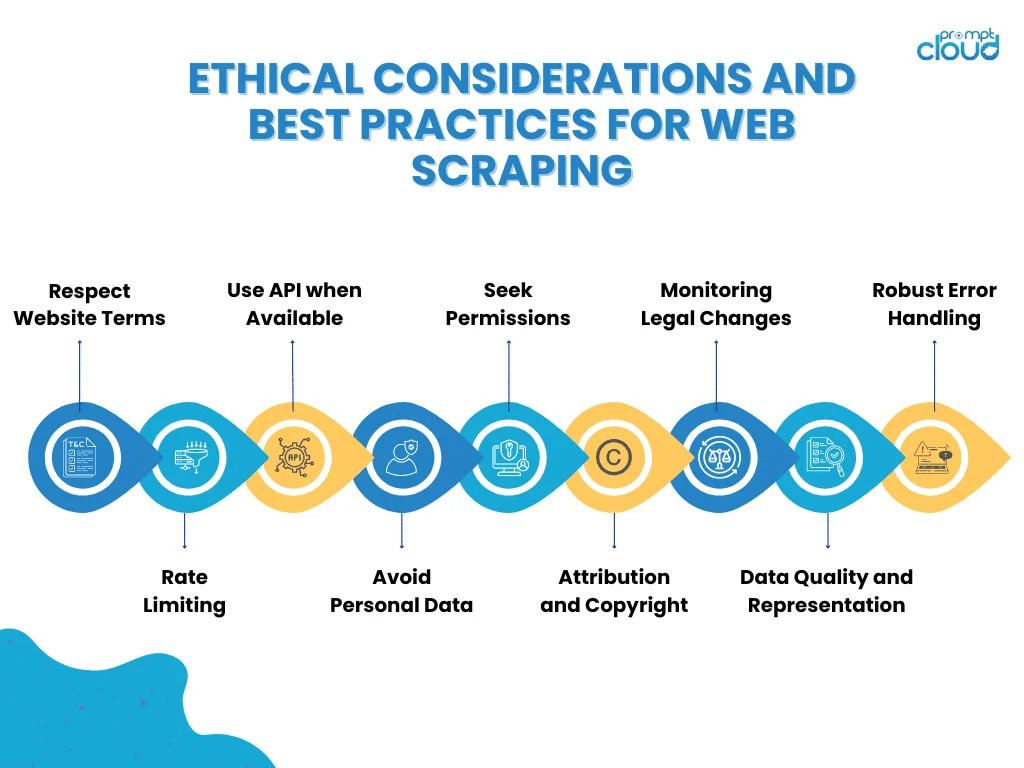
Yahoo Finance’s robots.txt marks certain paths as disallowed. It is not a legal barrier, but ignoring it means actively working against the site’s stated terms. Check it before building anything intended for regular production use.
Build for Failure from the Start
Scrapers break. Pages change, requests time out, rate limits fire. Build retry logic with exponential backoff, log failures by ticker and timestamp, and set up alerts when error rates exceed a threshold. A scraper that silently returns empty data is more dangerous than one that fails loudly.
Legal and Ethical Considerations
Yahoo’s Terms of Service explicitly prohibit automated access to the site without written permission. Practical enforcement risk for personal projects or internal research tools is low. The risk for commercial applications that redistribute Yahoo Finance data, or use it to power a customer-facing product, is meaningfully higher. The 2022 hiQ Labs v. LinkedIn ruling confirmed that scraping publicly available data does not automatically violate the Computer Fraud and Abuse Act. But that ruling does not override contractual terms of service, and it applies specifically to public data, not data behind login walls or paywalls.
In 2026, the compliance environment around web scraping has matured significantly. Major publishers now define machine access policies explicitly. Enterprise data teams face internal compliance reviews before using scraped data in production systems. Operating responsibly, with rate limiting, robots.txt compliance, and no redistribution of raw scraped data, matters even when enforcement is unlikely.
Official API Alternatives Worth Knowing
- Alpha Vantage: Free tier with up to 25 requests per day. Paid tiers from $50/month. Good US equity and forex coverage.
- IEX Cloud: Reliable real-time US market data with clear tiered pricing. Free tier covers basic use cases.
- Polygon.io: Polygon.io is purpose-built for real-time and historical US market data. Paid tiers from $29/month. Tick-by-tick feeds available.
- Nasdaq Data Link: Strong for historical datasets, alternative data, and academic research use cases.
Why Enterprises Move from Yahoo Finance Scraping to Managed Feeds
There is a point in almost every financial data project where the engineering cost of maintaining a scraper exceeds the cost of buying a clean, validated data feed. That threshold arrives earlier than most teams expect, and the gap widens sharply as ticker volume increases.
Yahoo Finance changes its page structure and internal endpoint formats multiple times per year. Every change breaks scrapers that depend on specific HTML tags, CSS selectors, or internal JSON fields. Each break requires diagnosis, a code fix, data re-validation, and redeployment. For a solo developer running a personal project, this is manageable. For a product or analytics team trying to ship features, it is a recurring tax on engineering time that compounds invisibly until it is the largest unplanned cost on the project.
The hidden cost picture gets more complete when you add up the full infrastructure layer: proxy rotation services, anti-blocking logic, data validation pipelines, schema versioning when Yahoo renames fields, and monitoring to catch silent failures before they corrupt downstream models or dashboards. PromptCloud’s 2026 scraping cost analysis found that teams running more than 200 tickers at production frequency typically spend more maintaining their scraping infrastructure than a managed data contract covering the same scope would cost. The build vs. buy analysis for web scraping lays out exactly how that calculation works.
Beyond cost, there is a compliance dimension that commercial use cases cannot sidestep. Using scraped data to power a customer-facing fintech product introduces legal exposure that a managed provider, operating under data licensing agreements and clear usage policies, removes entirely. For fintech teams, data vendors, and enterprise analytics platforms, that distinction is not theoretical.
The decision comes down to three honest questions: how many sources you need to cover, how frequently data must refresh, and whether your team’s competitive advantage sits in the data infrastructure layer or in what you do with the data once you have it. Most product and analytics teams are firmly in the second category.
How PromptCloud Handles Yahoo Finance Data at Scale
PromptCloud builds and maintains large-scale web data pipelines for businesses that need structured, reliable financial data without absorbing the engineering overhead of running it themselves. Our web scraping services are designed specifically for teams that have outgrown DIY infrastructure.
The difference between a self-built scraper and a managed pipeline is not just speed. It is the monitoring layer. When Yahoo changes its page structure overnight, a managed pipeline detects the anomaly and flags it before bad data reaches your application. A self-built scraper returns empty rows or incorrect values, silently, until someone notices the dashboard is wrong.
This matters most at scale. A scraper pulling 50 tickers per day is maintainable by one developer. A pipeline covering 5,000 tickers across price data, financial statements, analyst consensus, and news feeds at multiple refresh frequencies is infrastructure that a product team should not be building and maintaining themselves. The total cost of ownership, including the engineer hours consumed by every Yahoo-side change, almost always favors a managed provider past the 200-ticker threshold.
PromptCloud also handles the compliance layer. Using scraped data in a commercial product under terms that prohibit automated access introduces legal exposure that licensing agreements and managed data use policies remove. For fintech teams and enterprise analytics platforms, this is the argument that closes the build-versus-buy decision.
Choosing the Right Method: A Practical Decision Framework
Here is a direct summary based on what you actually need:
- Small ticker set, personal or research use: Start with yfinance. Ten minutes of setup covers 90% of standard financial data use cases.
- Custom fields or news headlines: Use BeautifulSoup with realistic headers and randomized delays. Expect to maintain selectors when Yahoo updates its page structure.
- BeautifulSoup returning empty results: Yahoo moved that content to JavaScript rendering. Add Selenium. Budget extra time for the heavier infrastructure and anti-detection configuration.
- Over 200 tickers at production frequency: Evaluate a managed provider before spending more engineering time on anti-blocking infrastructure. The build-versus-buy analysis for web scraping is a useful starting point for that conversation.
- Commercial product using financial data: Get legal and compliance input before shipping. A managed data provider with proper licensing agreements removes exposure that DIY scraping does not.
Whichever method you choose, build with failure in mind from day one. Scrapers break. The pipelines that survive in production are the ones that validate data before using it, handle errors explicitly rather than silently, and have a clear process for responding when Yahoo changes something.
Final Thoughts
Yahoo Finance remains one of the most accessible and data-rich sources for stock market information in 2026. With yfinance for structured data, BeautifulSoup for custom HTML extraction, and Selenium for JavaScript-heavy pages, you can build functional data pipelines without an enterprise license from day one.
The ceiling on DIY scraping is real, though. Maintenance overhead, proxy infrastructure, anti-blocking logic, and compliance exposure all grow as data needs scale. The teams that run into trouble are not the ones who chose the wrong scraping library. They are the ones who committed to a self-built infrastructure before honestly accounting for total cost of ownership at the scale they were building toward.
Stop babysitting scrapers that break every time Yahoo changes a div.
• No contracts. • No credit card required. • No scraping infrastructure to maintain.
FAQs
1. Is it legal to scrape Yahoo Finance?
Yahoo’s Terms of Service prohibit automated access without written permission. Personal and internal research use carries low enforcement risk. Commercial applications that redistribute scraped data or power customer-facing products carry meaningfully higher exposure. The 2022 hiQ Labs v. LinkedIn ruling confirmed scraping public data does not automatically violate the Computer Fraud and Abuse Act, but it does not override contractual terms of service.
2. Does Yahoo Finance have an official API?
No. Yahoo retired its public API in 2017 and has not replaced it. yfinance is an unofficial library that calls Yahoo’s internal endpoints. It works reliably for most use cases but is not guaranteed to be stable if Yahoo changes its backend structure.
3. How real-time is Yahoo Finance data?
Yahoo Finance delays price data by 15 minutes for standard users. It is not tick data. For sub-minute latency use cases such as algorithmic trading or live order routing, you need a brokerage API or a specialist feed like Polygon.io.
4. Why does yfinance return empty or None values?
The most common cause is a structural change on Yahoo’s backend. Try pip install –upgrade yfinance first. If the issue persists, check the yfinance GitHub issues page. Breakages are typically flagged within hours and fixed within days.
5. Can I scrape Yahoo Finance for international stocks?
Yes. Coverage for major international exchanges is solid. For smaller markets, OTC instruments, and micro-caps, data quality is inconsistent. Gaps, stale prices, and corporate action adjustments that do not match other sources are common enough that you should validate against a second source for any production use case outside major US and European equities.
6. How do I avoid getting blocked when scraping Yahoo Finance?
Use realistic browser headers, randomize delays between requests, and rotate proxies for high-volume runs. Build retry logic with exponential backoff and monitor for silent failures. For anything above a few dozen tickers at high frequency, proxy rotation becomes necessary rather than optional.
7. What is the difference between yfinance and BeautifulSoup for Yahoo Finance?
yfinance calls Yahoo’s internal JSON endpoints and returns structured pandas DataFrames. It is faster and easier to maintain but only exposes what Yahoo’s endpoints return. BeautifulSoup scrapes the HTML directly and can access any visible content on the page, including custom fields and headlines, but requires more maintenance because it is tied to page structure that changes without notice.
8. Can I get Yahoo Finance data without Python?
Yes. Several data providers offer Yahoo Finance-equivalent data through REST APIs accessible in any language. Alpha Vantage, IEX Cloud, and Polygon.io all offer free tiers with SDKs for multiple languages. For enterprise volume, a managed data provider delivers structured data directly to your pipeline without requiring any scraping code.
9. How often should I refresh scraped Yahoo Finance data?
For daily OHLCV and fundamental data, once per day after market close is typically sufficient. For near-real-time pricing, more frequent pulls are possible but increase the risk of rate limiting. Yahoo’s 15-minute delay means there is no benefit to pulling at sub-15-minute intervals for price data.
10. What are the best alternatives to scraping Yahoo Finance for production use?
For US equities: Polygon.io for real-time and historical data, IEX Cloud for broad coverage with clean APIs, and Alpha Vantage for budget-conscious projects. For enterprise-scale financial data with compliance coverage and delivery SLAs, explore PromptCloud’s managed web scraping services, which remove the scraping infrastructure burden entirely.