



**TL;DR**
APIs were supposed to make Google Trends data accessible. In reality, they throttle, sample, and break. For anyone who needs real-time trend visibility: marketers, researchers, data scientists and those limitations have become the bottleneck.
A Google Trends scraper built for 2026 solves this by collecting structured, timestamped trend signals directly from the interface without relying on unstable endpoints. When powered by a managed infrastructure, it enables continuous, compliant data delivery for market trend tracking, search popularity, and demand forecasting; the kind of visibility APIs simply can’t sustain.
Takeaways:
- Trend data is only valuable when it’s clean, contextual, and refreshed in real time.
- Google Trends API still caps depth and historical access.
- Scraping provides continuous, granular trend timelines across keywords and regions.
- Data pipelines can enrich, normalize, and correlate trends to product or category shifts.
- Compliance and rate handling are key—why most teams now rely on managed services.
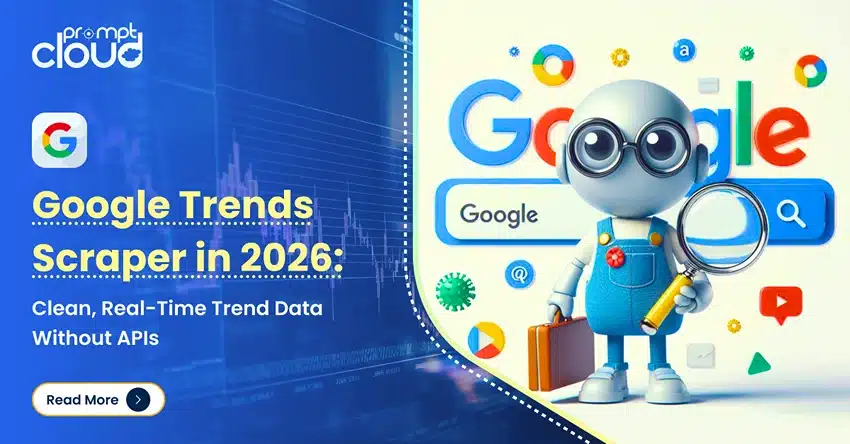
Google Trends Scraper in 2026
If you’ve ever tried to forecast demand using Google Trends, you’ve probably hit the wall. The interface is intuitive but restrictive. The API (via pytrends) is free but inconsistent. One day you get clean indexes, the next you’re rate-limited or missing months of history.
In 2026, teams that depend on trend signals whether for demand forecasting, content planning, or consumer sentiment mapping have stopped waiting for API stability. They’ve turned to web scraping for reliability, control, and scale.
This isn’t a developer’s hack. It’s a business need. Search interest data has become a proxy for market movement. Knowing what people are looking for before they buy or invest is now as critical as inventory or pricing intelligence.
A Google Trends scraper bridges that gap fetching live search interest data across geographies, devices, and time windows. Done right, it gives you a constant pulse on what’s rising, what’s fading, and where attention is shifting.
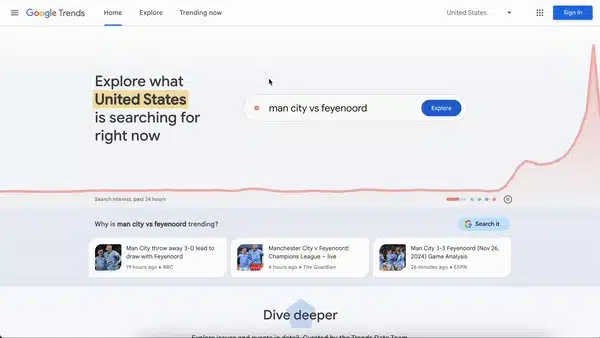
Google Trends Dashboard – Source
Why APIs Don’t Cut It Anymore
At first glance, Google Trends’ API looks like the obvious route. It’s documented, free, and comes with Python wrappers like pytrends. But anyone who has tried to automate it knows the story: limited calls, unpredictable sampling, and frequent data gaps.
Most teams hit two consistent pain points.
1. Inconsistent Historical Depth
For research or demand modeling, you need multi-year data. The public API rarely provides stable access beyond five years, and older data is often rescaled or rounded. That means week-to-week comparisons lose accuracy and long-term correlation work becomes unreliable.
3. Fragile Endpoints and Authentication
Unofficial APIs change without notice. One version of pytrends might work today and fail tomorrow when Google modifies an endpoint or cookie policy. Each change demands manual fixes or version rollbacks—an operational tax on every analyst who depends on it.
For how access works across web visibility layers, review our Surface Web, Deep Web, Dark Web Crawling blog.
4. Lack of Granularity
Google Trends rounds indexes on a 0-100 scale, obscuring fine movement in niche queries. When you’re monitoring category-level shifts or comparing product variants, that rounding flattens the signal.
5. Regional and Topical Blind Spots
APIs return limited region codes and often exclude smaller geographies or languages. For global brands that track multilingual markets, that’s a blind spot with real revenue implications.
Why Teams Moved Beyond pytrends
By 2026, trend analytics has evolved from curiosity graphs to business-critical signals. Marketing, inventory, and even capital allocation decisions now hinge on demand anticipation. Teams can’t afford delays, incomplete data, or rescaled values.
Next, we’ll look at how a Google Trends scraper works under the hood and what it takes to keep it both accurate and compliant.
Instead of building from scratch, teams often weigh vendor risk vs DIY. Our Web Scraping Vendor Selection Guide walks through exactly that.
Need trend data that updates faster than APIs can deliver?
How a Google Trends Scraper Works
A Google Trends scraper isn’t a single script. It’s a small ecosystem built to handle discovery, extraction, cleaning, and delivery. Each layer is designed to minimize noise and maximize consistency. The objective isn’t to “copy” Google’s visual charts but to replicate the underlying logic in a structured, auditable format.
Here’s what a functional setup looks like when designed for production use.
1. Request and Render
The scraper starts by sending a request to the Trends setup/interface for a defined keyword + region + time period. Once rendered, the scraper isolates the JavaScript object that carries the trend timeline, normalizes timestamps, and stores them with keyword and location metadata.
For a detailed overview of responsible data collection practices, see Scraping Google Trends for Real-Time Insights by AIMultiple.
2. Parsing and Normalization
Raw responses are rarely clean. The scraper parses numerical values from HTML or inline JSON, converts time windows into ISO timestamps, and aligns every record against a uniform schema such as:
| Field | Description |
| keyword | Query term or phrase |
| region_code | Country or subregion |
| date | Normalized timestamp |
| interest_score | Search popularity index (scaled 0–100) |
| category | Optional topical grouping |
| device_type | Desktop, mobile, or all |
| capture_timestamp | When the data was fetched |
This schema keeps the data usable for dashboards, trend comparisons, or correlation models.
Read more: This architecture discussion echoes themes from Crawler vs Scraper vs API, especially around interface vs extraction layers.
3. Rotation and Politeness
Scraping Google properties without restraint can trigger rate limits. A production-grade scraper uses rotating residential or datacenter proxies, manages request delays, and randomizes headers to mimic human-like browsing patterns.
It’s also configured with crawl politeness parameters such as timed intervals, concurrent limits, and retry thresholds—to ensure steady operation without risking IP bans.
4. Validation and Drift Detection
Every new batch of data passes through validation checks. These checks confirm:
- No missing intervals or duplicate timestamps
- Index values within expected bounds (0–100)
- Consistent regional mappings
- Correct data types and time formats
If any field drifts for instance, if Google changes the JSON node names or chart structure the pipeline flags it instantly. That allows teams to update the selector logic before the next cycle runs.
5. Storage and Access
Validated data is written into a database with historical retention. This output can feed:
- Dashboards: trend correlation, seasonality tracking
- Models: demand forecasting, sentiment alignment
- Alerts: spikes in search interest for new categories or emerging risks
By designing the scraper to store both raw and normalized data, teams can reprocess it if scaling, smoothing, or reindexing logic changes later.
6. Automation and Scheduling
The scraper runs on a recurring schedule—hourly, daily, or weekly—depending on use case. These control timing, retries, and dependency resolution across thousands of concurrent keyword sets.
7. Compliance and Governance
Even though Google Trends data is public and anonymized, responsible scraping follows strict internal review:
- Respect robots.txt and rate-limiting behavior.
- Avoid login-gated or paid APIs.
PromptCloud enforces these principles across every managed project. Clients get trend datasets that are compliant, reproducible, and fully traceable.
When all these pieces come together, the result isn’t just a scraper, it’s a data pipeline that turns raw web signals into structured business insight. Next, we’ll see how organizations use that data in practice to drive market awareness, forecasting, and creative strategy.
Real-World Applications: From Trend Signals to Business Strategy
Every marketing trend, viral product, or search spike starts as a simple query. What changes the outcome is how quickly businesses notice and act on it. That’s why search trend data, when collected continuously, is more than marketing insight; it’s a real-time sensor for human behavior.
A Google Trends scraper gives brands and analysts the power to see those shifts before they become mainstream. Here’s how different industries use it.
1. Demand Forecasting and Inventory Planning
Ecommerce and retail teams use search popularity as an early warning system. If “wireless chargers” suddenly spike in multiple regions, it’s a sign of upcoming product demand. A scraper can capture this surge daily, categorize it by product type, and feed it into demand forecasting models.
When this data is tied with sales or stock records, planners can:
- Reallocate inventory toward high-demand SKUs
- Identify new keywords for paid search campaigns
- Prepare logistics for seasonal peaks
Unlike API-based snapshots, a scraper running daily builds a continuously updating demand curve, essential for pricing and supply decisions.
2. Marketing and SEO Strategy
For marketing teams, Google Trends isn’t just a curiosity graph. It’s a roadmap for content and creative planning. By tracking search interest across related topics, marketers can:
- Identify rising queries before competitors do
- Detect when old topics are losing traction
- Align editorial calendars with real search intent
The scraper automates this discovery at scale, watching hundreds of product terms simultaneously, grouped by geography and language.
3. Financial and Investment Research
Hedge funds and market research firms use Google Trends as an alternative data source. Rising search activity for a brand, product, or symptom often correlates with market behavior.
For instance:
- Increasing queries for “credit card late payment” may signal financial stress.
- A surge in “EV subsidy 2026” searches could foreshadow a spike in electric vehicle stock discussions.
When this data is structured and compared with earnings releases or trading volume, analysts can surface leading indicators that traditional datasets miss.
4. Product Development and Market Fit
Product teams often struggle to prioritize new features. Scraped trend data provides empirical context.
Tracking phrases like “best budget phone with AMOLED” or “AI image editor free” helps teams understand what attributes buyers value most. By pairing scraped trend data with review sentiment analysis, companies can validate feature ideas before investing in R&D.
5. Policy and Research Institutions
Government and academic researchers use trend data to map public interest and behavioral patterns.
Health organizations monitor disease-related search spikes to anticipate outbreaks. Economists correlate job-related queries with unemployment trends. Scrapers make it possible to collect that data continuously and compare multiple topics in near real time, bypassing the sampling constraints of the free interface.
6. Media and Journalism
For newsrooms, a Trends scraper acts as a story radar. Editors track rising search queries tied to breaking stories or cultural events, allowing them to publish faster with better context. When combined with sentiment and news scraping, this builds a full view of narrative velocity: how a story emerges, spreads, and fades.
Why Real-Time Context Matters
Timing defines relevance. A campaign idea that’s aligned with last month’s data will always lag behind one powered by live web signals. This is why structured scraping has become the backbone of modern trend analytics, it turns Google’s aggregated search behavior into actionable intelligence.
A managed scraper delivers that intelligence reliably, ensuring every keyword, region, and interval is captured without missing data or inconsistent scaling.
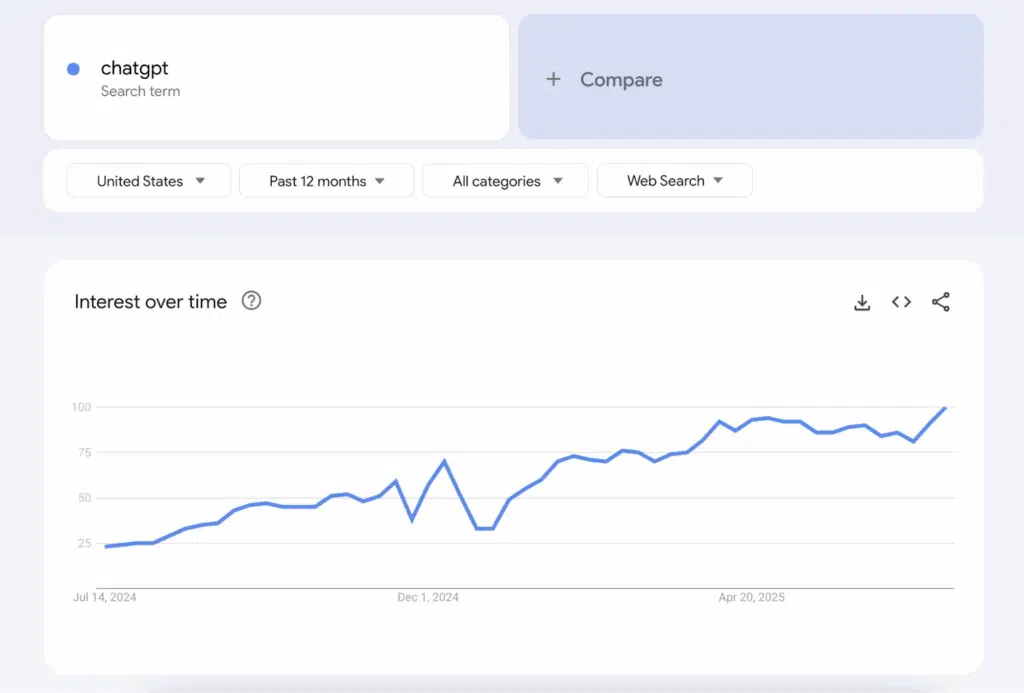
Here’s an example of a Google Trends graph – Source.
How Do Large-Scale Enterprises Keep Their Trend Data Clean & Reliable?
Here are how top teams—like PromptCloud—build robust systems for trend data quality and dependability.
1. Freshness SLAs & Window Validation
Every trend data point includes a capture timestamp. That lets the system check if data is stale or delayed beyond acceptable thresholds.
For example:
- If a daily trend is fetched more than 12 hours late, flag it.
- If five consecutive intervals are missing, pause ingestion and alert.
These rules enforce strict freshness SLAs and ensure downstream users never consume late or duplicate data.
2. Schema & Selector Change Monitoring
Google occasionally changes how the Trends interface structures JSON or embeds chart data. If your parser expects chartData.timeline and suddenly it’s chart.curve.series, your pipeline will break.
To prevent that, the scraper continuously monitors:
- JSON node presence (field names, nesting)
- Value types (number, array, null)
- Interval structure (daily, weekly, hourly)
If any drift is detected, the system immediately removes that keyword from the pipeline and notifies a data engineer to diagnose and patch. This acts as a circuit breaker to protect data quality.
3. Sanity Checks & Outlier Filtering
Not every shift is valid. Sometimes scraped values jump to 100 because of UI glitches or temporary anomalies. To catch that, a validation engine runs rules like:
- Bound checks: interest_score must remain between 0 and 100
- Moving window checks: no single-day jump > 5× average delta
- Regional consistency: global vs region values should map proportionally
- Null imputation: if a data point is null but neighbors are valid, interpolate — but flag for human review
These sanity filters stop noise from propagating into your dashboards or models.
4. Ground Truthing & Backtesting
To calibrate and validate long-term reliability, enterprises often backtest scraped trend data against known real-world events:
- Example: match trend spikes of “iPhone 15 price” against actual launch dates
- Validate seasonal trends in consumer categories (holiday, back-to-school)
- Compare scraped trend curves vs API returns for overlapping segments
This ground truthing ensures your system isn’t secretly drifting over time.
5. Human-in-the-Loop QA & Review
Even the best algorithms fail occasionally. That is why PromptCloud blends automated QA with human validation:
- Every new keyword category passes through manual review in the first 7 cycles
- Engineers spot-check residuals, nulls, distribution shifts
- Clients can report anomalies, triggering priority review
- Logs and dashboards track all fixes for audit traceability
This hybrid QA ensures the data remains trustworthy, not just “automatically generated.”
For a deeper dive into validation logic and strategies, see our Data Quality for Scraping blog.
6. Data Delivery & Access Paths
Once cleaned, trend data is exposed via multiple access routes:
- REST API for keyword- or region-based queries
- Batch exports in CSV/Parquet for BI tools
- Streaming feeds (Pub/Sub, Kafka) for real-time models
- Dashboard connectors (Looker, Tableau)
Each route includes versioning and metadata (schema version, capture window, flags) so that downstream users never ingest ambiguous data.
7. Audit Trails & Version Control
To maintain transparency, every scraped record includes an audit log: when it was fetched, when validation ran, and any corrections made. Entire dataset schemas are versioned so you can always reproduce results even years later.
Cost, Scale, and Practical Trade-Offs
Running a Google Trends scraper at enterprise scale is less about coding and more about economics. Every architecture choice—from proxy pools to validation frequency—affects the total cost of ownership.
Here’s how to think about it.
1. Cost Components
| Cost Type | Description | Typical Drivers |
| Infrastructure | Cloud compute for headless rendering and data storage. | Browser sessions, concurrent keywords, regions. |
| Network & Proxies | Rotating IPs and residential pools to maintain access. | Request volume, geo-distribution. |
| Monitoring & QA | Validation logic, diff checks, schema alerts. | Frequency of refresh and size of dataset. |
| Engineering Time | Maintenance after Google interface changes. | Number of fields extracted, frequency of updates. |
| Compliance & Security | Data governance, documentation, review cycles. | Enterprise risk and audit requirements. |
When managed internally, these add up quickly. Many companies discover that what looked like a “small automation task” turns into a 24×7 ops commitment.
2. Scalability Choices
Scrapers scale along three axes:
- Width (number of keywords) – more topics mean more browser instances and more concurrent sessions.
- Depth (historical span) – long time ranges require stitching multiple partial requests.
- Frequency (update cadence) – higher refresh rates multiply infrastructure load.
Balancing these factors determines whether your system can refresh tens or thousands of topics daily without bottlenecks.
3. What Enterprises Actually Do
Most mature teams settle on hybrid orchestration:
- A crawler-scheduler (Airflow, Prefect) manages batch jobs.
- A managed partner like PromptCloud handles proxying, validation, and recovery.
- Internal analysts focus only on consuming the clean feed through BI dashboards or data lakes.
This division of labor keeps technical debt low and ensures business continuity even when endpoints change overnight.
4. Cost–Benefit Reality
| Approach | Typical Cost Profile | Strengths | Weaknesses |
| DIY + pytrends | Low upfront, high maintenance | Simple to start | Unstable, limited scale |
| In-house scraping | Medium upfront, unpredictable | Control | Ongoing proxy & QA overhead |
| Managed service (PromptCloud) | Predictable subscription | SLA-based, compliant, scalable | Vendor onboarding time |
The third option often wins in enterprise settings because it transforms scraping from an engineering project into a governed data pipeline with measurable SLAs.
Why Managed Data Wins
At scale, what matters most isn’t the script—it’s the reliability of the output. APIs change, interfaces shift, proxies expire. A managed service with dedicated QA, schema monitoring, and governance reduces that uncertainty to near-zero.
PromptCloud’s enterprise infrastructure handles billions of pages monthly while ensuring:
- End-to-end validation and schema versioning
- Audit trails for every job
- ISO-27001-aligned security standards
Teams receive trend datasets that are clean, fresh, and legally compliant, freeing analysts to focus on interpretation instead of maintenance.
Need trend data that updates faster than APIs can deliver?
FAQs
1. Is it legal to scrape Google Trends data?
Yes. Google Trends data is publicly available and anonymized. Scraping this data is legal when done responsibly — meaning you respect rate limits, avoid automated abuse, and do not collect any personally identifiable information. Managed scraping services like PromptCloud ensure all operations comply with platform terms and data governance standards.
2. What’s the difference between using the Google Trends API and a Google Trends scraper?
The API (or pytrends library) offers structured access but comes with rate limits, sampling, and restricted historical data. A Google Trends scraper, in contrast, extracts complete real-time trend data directly from the interface, maintaining control over regions, timelines, and refresh frequency. It’s the preferred method when consistency, completeness, and real-time delivery are business priorities.
3. Can a scraper provide more accurate results than Google’s API?
Not “more accurate,” but more complete. The scraper captures the same normalized scores shown in Google’s charts but does so continuously and without missing intervals. That gives analysts a smoother timeline and better resolution across regions, devices, or niche categories — which APIs often undersample.
4. How does PromptCloud ensure trend data remains clean and reliable?
PromptCloud applies multi-layer QA: schema validation, drift detection, timestamp checks, and human-in-the-loop audits. Each dataset passes freshness SLAs before delivery, ensuring no stale or duplicated intervals. Clients receive structured outputs in CSV, JSON, or API form, ready for direct use in dashboards or predictive models.
5. What can businesses do with real-time trend data?
Use it to forecast demand, plan campaigns, and identify emerging topics before competitors. Ecommerce teams use it for inventory planning, marketing teams for SEO strategy, and financial analysts for alternative data signals. A real-time Google Trends scraper transforms search curiosity into actionable, time-sensitive intelligence.