



![Export Website To CSV A Practical Guide for Developers and Data Teams [2025 Edition]](https://www.promptcloud.com/wp-content/uploads/2025/10/Export-Website-to-CSV.webp)

**TL;DR**
Exporting a website to CSV isn’t a single command. You need rendering for JS-heavy sites, pagination logic, field selectors, validation layers, and delivery that doesn’t drop rows. This guide breaks down how to build or buy a production-grade setup that outputs clean, structured CSVs from websites—ready for analysis, ingestion, or direct business use. Includes code samples, edge cases, and PromptCloud’s managed delivery system.
You can’t right-click a webpage and “Save as CSV.” Not if the content is dynamic, paginated, region-specific, or hidden behind interaction. Exporting a website to CSV requires a structured scraping pipeline—one that renders pages, extracts clean data, validates every field, and delivers machine-readable files that don’t break your workflows.
Whether you’re exporting product catalogs, job listings, reviews, or pricing data, this blog shows what it actually takes—from tool selection and code to delivery SLAs and compliance. We’ll cover real-world pipelines built with Scrapy, Playwright, and PromptCloud’s managed infrastructure—and show why most failures happen after the scrape, not during it.
Why You Can’t Just “Save a Website” as CSV
Most websites aren’t built for data export—they’re built for humans, not machines. That means content is often:
- Rendered dynamically with JavaScript
- Paginated or loaded via infinite scroll
- Personalized based on geography or session
- Structured inconsistently across pages
- Protected by anti-bot systems
So no, “Save as CSV” doesn’t work—not even close. You might be able to view a product grid or job listing in your browser, but behind the scenes, the structure is volatile. Data lives across templates, JavaScript variables, hidden divs, and API calls.
Here’s a typical trap:
Let’s say you’re scraping a jobs portal. The initial page might show 10 listings. But unless your crawler knows how to:
- Click the “Load more” button
Wait for the XHR response - Parse the DOM after rendering
- Map the fields into a uniform structure
…you’ll miss 90% of the data. Worse, if you try to export it directly to CSV, you’ll end up with:
- Broken headers
- Inconsistent rows
- Duplicates from untracked pagination
Real CSV extraction needs orchestration, not copy-paste
A production pipeline includes rendering, selection, normalization, validation, deduplication, and delivery—none of which happen by default in your browser or with a naïve scraper. In short: scraping is just the beginning. If your end goal is a clean, analytics-ready CSV file, you’ll need to think in terms of systems, not scripts.
What a Real Website-to-CSV Pipeline Looks Like
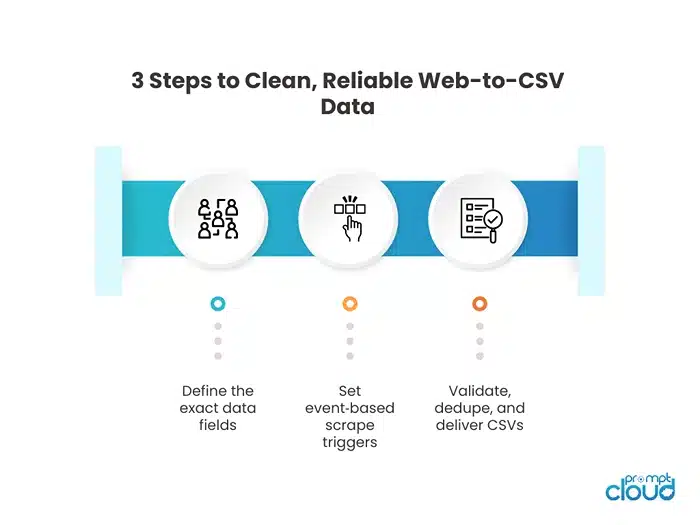
You don’t export websites to CSV with a single script. You orchestrate the extraction, cleaning, and delivery through a pipeline—especially if you want it to work across thousands of pages or product listings.
The core pipeline looks like this:
- Trigger Source
- Manual URL list
- Sitemap crawl
- Delta triggers (e.g., new job post, updated product)
- Scraping Engine
- HTTP crawler for structured HTML
- Retry logic, proxy rotation, mobile/desktop profiles
- Field Selection
- XPath or CSS selectors
- Fallback extractors for A/B variants
- Region-aware selectors (if layout differs by geography)
- Validation Layer
- Type checks: price is numeric, URL is present
- Regex or enum checks: date formats, availability labels
- Null rules: drop, default, or escalate
- Normalization
- Strip HTML, trim whitespace
- Convert currencies (USD → ISO)
- Map enums (e.g., “In stock” → in_stock)
- Row Assembly + Evidence
- Add scrape_ts, source_url, proxy_region, selector_path
- Include optional metadata for audit or reprocessing
- CSV Formatter
- Define column contract
- Output w/ csv.DictWriter or pandas.DataFrame.to_csv()
- Do check for UTF-8 encoding & delimiter consistency
- Delivery
- Push to S3, SFTP, or streaming API
- Batch: hourly, daily
- Stream: on trigger or change detection
Why this matters:
Without this kind of structure, CSV files break in production:
- Columns shift or go missing
- Rows mismatch due to partial failures
- Analytics systems fail on malformed inputs
- Engineers spend more time debugging extractors than building insights
This pipeline ensures consistency, clarity, and control—not just scraped data, but usable data.
When to Use Headless Browsers vs HTTP Scrapers in Your Pipeline
Pattern 1: Headless Browsers
Best for:
- Dynamic product grids (e.g., ecommerce with filters)
- Job boards that load content after user scroll
- Sites that depend on cookies, sessions, or locale
- Click-to-load content (e.g., “See more” reviews)
These engines simulate real user sessions in Chromium. They let you wait for the DOM to stabilize before extracting fields, handle viewport rendering, and work around lazy-loaded content.
Pattern 2: Lightweight HTTP Scrapers (Scrapy or Requests + LXML)
Use this when the site returns clean HTML or has a stable API behind it.
Best for:
- Static pages or cleanly structured HTML
- Sitemap-based crawls
- High-volume category-level scraping
- Structured content that doesn’t need a render pass
This method is faster, less resource-intensive, and great for breadth—scraping hundreds of thousands of pages across a domain without rendering bottlenecks.
How PromptCloud handles this
You don’t need to choose the engine—PromptCloud selects the best render strategy dynamically based on site structure and success rates. Our infrastructure can escalate requests:
- From HTTP to render pass (if content is missing)
- From desktop to mobile headers (to bypass layout issues)
- From standard proxy to geo-specific routing (to expose localized prices or reviews)
That way, you always get consistent, validated rows—whether the source is simple HTML or a full client-rendered app.
Data Validation Comes Before the CSV File
What needs to be validated?
1. Field Presence
Make sure required fields (e.g., title, price, url) are not missing. If a product card has no title or price, that row needs to be flagged or dropped.
2. Field Shape / Format
- Prices should be numeric (₹1,199 → 1199.00)
- Dates should be in ISO format (2026-09-18T10:23:00Z)
- Ratings should follow consistent scales (e.g., 1–5, not 0–100)
3. Enum Validation
When fields like “availability” or “condition” have expected categories, map and enforce them.
Example:
- “In stock” → in_stock
- “Pre-order” → preorder
- “Out of stock” → out_of_stock
4. Field Consistency Across Pages
If some pages return product_price while others return price_total, your column contract breaks. You need schema alignment—automated or rule-based.
PromptCloud’s QA pipeline includes:
- Field presence tests: Required field thresholds per record type
- Regex and type validators: Match numeric, email, datetime, URL formats
- Enum mappers: Normalize text into standardized values
- Sanitizers: Strip HTML tags, remove JS/CSS noise
- Evidence tagging: Every row carries scrape_ts, source_url, proxy_region, selector_path
All validation happens before export to CSV. Bad rows are either corrected, reprocessed, or filtered with clear reason codes (MISSING_PRICE, EMPTY_URL, UNEXPECTED_ENUM).
Why this matters:
If you push unvalidated data into CSV and pass it to analytics, the downstream failure isn’t obvious—it’s silent. Your dashboard may break. Your ML model may misfire. Your pricing decision might be based on a duplicate or a phantom value.
Structured CSVs start with structured validation. This is what separates a basic scrape from a business-grade pipeline.
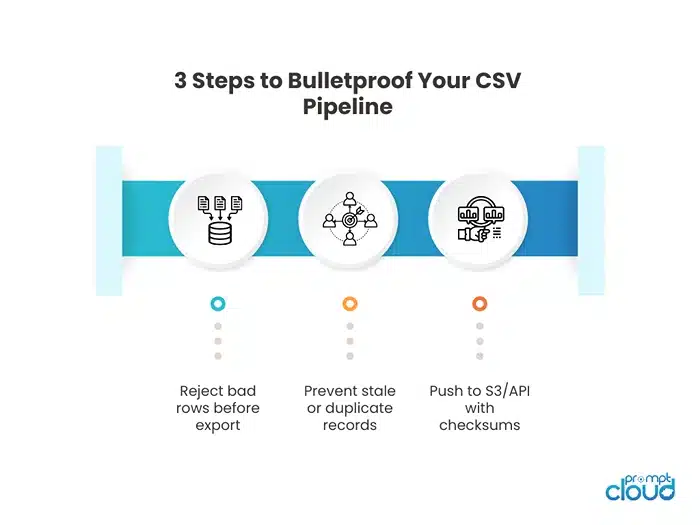
How to Avoid Duplicates and Broken Rows
Use Idempotency Keys to Prevent Rewrites
Every scrape task should generate a unique identifier that defines what a valid row looks like for that time window. Example:
idempotency_key = hash(url + product_id + date_bucket)
This ensures:
- No duplicate records when retries happen
- No overwrite of previously delivered clean data
- Task tracking for audit or reprocess
Use TTLs to Drop Stale Jobs
If a scrape task takes too long to complete (due to proxy failure, render lag, etc.), the result may no longer be relevant. That’s why task TTLs (Time-To-Live) matter.
Examples:
- Product prices: TTL = 2 hours
- Job listings: TTL = 6 hours
- News headlines: TTL = 60 seconds
If the task completes after expiry, discard the result. Otherwise, you risk inserting stale rows into your CSV.
Broken rows? Don’t write them. Flag and track them.
Use field-level validation to catch:
- None or blank critical fields
- Unexpected enum values
- Type mismatch (e.g., string instead of number)
- Selector failure (field not found due to template change)
Mark with reason codes, such as:
- EMPTY_TITLE
- INVALID_PRICE_FORMAT
- SELECTOR_FAILED_PAGE_VARIANT
Send these to a dead-letter queue (DLQ) for manual or automated reprocessing.
PromptCloud Handles All of This Automatically
PromptCloud’s infrastructure includes:
- Idempotency enforcement with per-row keys
- Queue TTLs based on data type and latency tolerance
- Deduplication filters by hash, slug, or ID
- Field QA with reject rules and fallback logic
- Audit-ready evidence rows with scrape time, selector path, proxy region
These controls ensure your exported CSVs are clean, unique, and safe to ingest—no duplicated rows, no garbage values, no invisible breakage in BI tools. This approach is also used in real-time event-driven architectures, where scraper output flows into vector DBs or LLMs.
Read more in our blog on: Real-Time Web Data Pipelines for LLM Agents.
Managed vs DIY: Which Approach Works at Scale
When “a quick script” grows into a feed that stakeholders rely on, trade‑offs change. Use this comparison to decide where you sit today—and when to switch.
VS Table — DIY Scripts vs Managed Delivery
| Dimension | DIY Scripts | Managed Delivery |
| Time to first CSV | Days–weeks | Hours–days |
| JS rendering needs | Add Playwright infra | Included |
| Anti‑bot hygiene | Proxies + headers | Geo/device routing, rotation |
| Queueing & TTLs | Build & tune | Included (priority, TTL, DLQ) |
| Validation & QA | Custom checks | Field gates, reason codes |
| Schema evolution | Manual migrations | Versioned payloads, grace windows |
| Delivery modes | Local writes | API, S3, SFTP, streams |
| Freshness guarantees | Best effort | SLO/SLA options |
| Ops overhead | Engineer time | Offloaded |
| Compliance/audit | Ad hoc | Policy + evidence columns |
Decision Checklist
- Surface complexity: JS‑heavy pages, auth flows, geo content
- Volume: >50k pages/week or >5 sites with distinct templates
- Freshness: Required update windows (e.g., 95% < 120 minutes)
- Reliability: BI/ML depends on consistent columns and types
- Ops cost: On‑call for bans, template drift, queue bloat
If ≥3 boxes ticked, treat this as a data product, not a one‑off script: adopt queues with TTLs, idempotency keys, validator gates, and a delivery contract. Whether you build or buy, the controls are the same—the question is who maintains them.
This decision becomes more important if you’re extracting product listings, reviews, or catalog data. See how we handle scale and frequency in Ecommerce Data Solutions.
How Structured CSVs Get Delivered: API, S3, FTP, and Streams
Common CSV Delivery Modes
| Method | Best For | Format Options | Schedule |
| S3 bucket | Warehouses, dashboards, backup | CSV, JSON, Parquet | Hourly, Daily |
| SFTP push | Legacy systems, finance/data ops | CSV, TSV, Excel | Daily, Weekly |
| Streaming API | Real-time use cases, LLMs | JSON/CSV events | On trigger |
| Webhook | Lightweight async triggers | JSON | On scrape success |
| Email w/ link | Small teams, one-off delivery | CSV zipped URL | Ad hoc |
Each method should support confirmation, failure handling, and bundle verification (e.g., row count, checksum, version ID).
What a Reliable Export Stack Includes
- Column contract: locked header order, enforced types
- UTF‑8 w/ delimiter control: avoid Excel misreads
- File versioning: timestamped or hash-based names
- Row count threshold alerts: for under/over-delivery
- Schema evolution handling: soft transitions, additive columns
- Evidence rows: scrape timestamp, selector version, proxy region
CSV feeds power everything from product catalogs to AI enrichment pipelines. See how we integrate with LLM workflows and downstream models in our Data for AI use case.
Now Adding Code for Automated CSV Delivery
Here’s a simple Python-based delivery automation setup using boto3 for S3 + schedule for cron-like tasks.
# pip install boto3 schedule
import boto3
import os
import schedule
import time
from datetime import datetime
# AWS config (use IAM roles or env vars for security)
s3 = boto3.client(‘s3′, region_name=’ap-south-1’)
bucket_name = ‘your-csv-export-bucket’
folder = ‘csv_dumps/’
def upload_csv_to_s3(local_path):
filename = os.path.basename(local_path)
s3_key = f”{folder}{datetime.utcnow().isoformat()}_{filename}”
s3.upload_file(local_path, bucket_name, s3_key)
print(f”✅ Uploaded to S3: {s3_key}”)
def job():
csv_path = ‘/tmp/final_output.csv’ # Assume scraper writes here
if os.path.exists(csv_path):
upload_csv_to_s3(csv_path)
# Schedule for every 1 hour
schedule.every(1).hours.do(job)
while True:
schedule.run_pending()
time.sleep(60)
Key Features:
- Rotating S3 keys with timestamps (or hashes)
- Automated hourly upload to cloud delivery
- Can be extended to email alerts, row count assertions, or checksum validation
Avoid These Delivery Pitfalls
- Overwriting files with the same name → use timestamped filenames
- Encoding issues in Excel → always write as UTF-8, never default
- Schema drift between runs → log schema version with each file
- Incomplete rows → count rows + hash payload before delivery
Common Failure Modes When Exporting to CSV (Table)
| Failure mode | Typical triggers | Symptoms in CSV / downstream | Root cause | Prevention / controls | Detection / automation |
| Template drift | Front‑end A/B tests, layout refactors, renamed classes | Empty columns, sudden row‑count drops, header/field misalignments | Selectors tied to brittle CSS/XPath; no fallbacks | Version selectors; use role/data‑* attributes; maintain fallback extractors; canary URLs | Field‑coverage monitors; HTML snapshot diffs; alert on >X% nulls per column |
| Pagination failures | Infinite scroll, JS “Load more,” cursor params change | Only first page captured; duplicates across pages; missing tail rows | No scroll/click automation; missing next‑page logic; cursor not persisted | Implement scroll/click handlers; respect next/cursor tokens; checkpoint last page | Assert min rows per run; dedupe by hash; alert on page count variance |
| Overwriting / appending without order | Concurrent runs, retries writing late, daily merges | Duplicate/conflicting rows; lost history; non‑deterministic outputs | No idempotency; late tasks writing; unsorted merges | Idempotency keys (url+variant+bucket); TTL on tasks; sorted merges; versioned filenames | Post‑export dedupe report; checksum + row‑count verification; flag late writes |
| Encoding / format errors | Non‑UTF‑8 sources, commas/quotes/newlines in fields | CSV won’t open; garbled characters; broken parsers | Wrong encoding; unescaped delimiters; inconsistent headers | Always UTF‑8; escape quotes/newlines; fixed header order; explicit delimiter | Lint CSVs pre‑delivery; sample open in parser; reject on schema/encoding mismatch |
| Partial field extraction | Lazy rendering, hidden nodes, inconsistent enums | Blank prices/titles; mixed enum labels; semantically wrong values | Render not awaited; weak selectors; no validators | Wait for stable DOM; stronger locators; enum maps; type/regex validators | Per‑field null thresholds; reason codes (e.g., PRICE_PARSE_FAIL); auto requeue URL |
What Good CSV Exports Actually Look Like in Production
A solid web-to-CSV pipeline isn’t just “data that loads.” It’s a predictable, validated, and audit-ready dataset with controls baked in.
Here’s what a production-ready CSV export should contain:
| Field | Description |
| title | Cleaned and whitespace-trimmed, field validated for length |
| price | Normalized to float, currency converted (e.g., ₹ → INR) |
| url | Absolute, deduplicated, with tracking removed |
| availability | Enum-mapped (in_stock, out_of_stock, preorder) |
| scrape_ts | UTC timestamp in ISO 8601 |
| proxy_region | Location of scrape (e.g., IN, US, DE) |
| selector_path | Versioned or hashed reference to the extraction logic used |
| validation_status | passed, partial, or failed |
| reason_code | Only filled if validation fails (PRICE_MISSING, ENUM_ERROR) |
Final checklist for enterprise-grade exports:
- Consistent column contract
- No NULLs in required fields
- Retry/dedupe logic enforced
- Filename includes version/timestamp
- Files land in S3/SFTP/API on schedule
- Evidence row included for every record
Comparison Table — Playwright vs Scrapy vs PromptCloud Managed Services
| Feature/Capability | Playwright | Scrapy | PromptCloud Managed Service |
| JS rendering | ✅ Full headless browser | ❌ (HTML only) | ✅ Auto-renders when needed |
| Pagination control | ✅ Click, scroll, infinite | ✅ URL-based, partial support | ✅ Handles all types (scroll, button) |
| Anti-bot mitigation | ⚠️ Basic (rotate headers) | ⚠️ Requires custom setup | ✅ Geo/device/UA routing, ban evasion |
| Retry logic | Manual w/ code | Built-in | ✅ Queued, with escalation + TTL |
| Field validation | Manual | Custom pipelines | ✅ Field-level gates + reason codes |
| CSV formatting | Code-based | Code-based | ✅ Auto-format with schema versioning |
| Queue & TTL system | ❌ Not built-in | ❌ Not built-in | ✅ Fully queue-backed with dedupes |
| Delivery modes | Local only | Local/FTP with workarounds | ✅ API, S3, SFTP, webhook, stream |
| Evidence/audit layer | ❌ None | ❌ Optional logging | ✅ Included: timestamp, region, path |
| Ops maintenance | Developer responsibility | Developer responsibility | ✅ Fully managed |
FAQs
1. How do I extract a website’s content into CSV format?
You’ll need a web scraper (like Playwright or Scrapy) that can extract structured fields from the DOM, validate them, then write to CSV using a defined schema.
2. How do I avoid broken rows or duplicates in CSV exports?
Use idempotency keys per row, TTLs on scraping tasks, and post-validation before write. Every CSV should include metadata like scrape_ts and reason_code.
3. Can I automate delivery of the exported CSV file?
Yes. Use tools like boto3 to upload to S3 or FTP clients to push to a server. PromptCloud supports automated delivery via API, S3, FTP, or webhook.
4. What if the site uses JavaScript or infinite scroll?
Use Playwright for rendering dynamic pages, and add logic for scroll, click, or event-based pagination. Or use a managed provider with built-in render routing.
5. How often can I update the exported data?
This depends on the freshness required. Common setups run hourly for pricing, daily for jobs or reviews, or real-time for stock availability or news feeds.